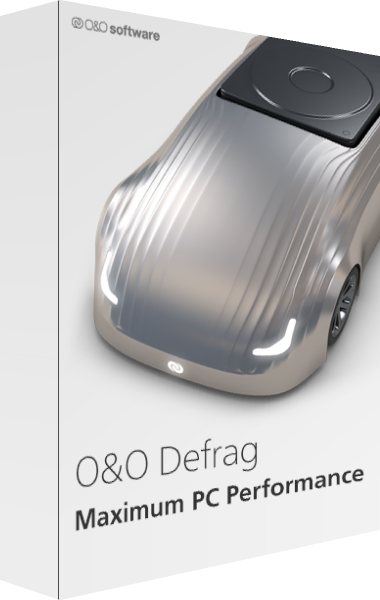

O&O Defrag
A newer edition is available
Analyze and optimize HDDs and SSDs and manage Windows maintenance tasks.
Learn more about O&O Defrag
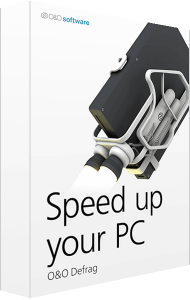
Speed up your PC!
When you defragment, the files that Windows splits up when saving documents across the hard disk are logically put back together again so that files can be quickly recognized and found by the read and write heads inside your hardware. Speed increases of up to 100% are not uncommon, and your hardware suffers much less wear and tear!
Related Products
Don’t let a slow computer spoil your work or fun! Let O&O Defrag optimize your hard disks and - New! - SSDs and you can experience speed increases of up to 100%! Regular disk defragmentation optimizes your PC performance!
When you defragment, the files that Windows splits up when saving documents across the hard disk or SSD are put back in order again so that files can be quickly recognized and found by the SSD or the read and write heads inside your HDD. Speed increases of up to 100% are not uncommon, and your hardware suffers much less wear and tear!
SSDs save file fragments on morememory cells than needed. The resource and hardware friendly SOLID/COMPLETE method defragments these file fragments so that only the number of memory cells required will be used for reading and writing in the future. SOLID/COMPLETE can be used on both SSDs as well as harddisks.
If you spend a lot of time on your PC, slow system and program starts or system crashes while playing can be very frustrating. Periodic defragmentation often works wonders in bringing new life to a PC.
Recommend manual defragmentation for PCs that are being used heavily because only a user can decide when the time is right to give up the performance needed for running defragmentation. On computers using video editing or graphics applications, O&O Defrag can be configured to not start automatic optimization while certain programs are running. The default settings in O&O Defrag are more than adequate for ordinary desktop PCs running mainly internet or office applications. O&O Defrag is also perfect for notebooks. Whenever an external power supply is disconnected, O&O Defrag automatically goes into pause mode to save energy
ClusterView with SSDs: In order to represent the degree of fragmentation of an SSD, the ClusterView now maps the logical structure of an SSD so that, accordingly, 6 blocks are combined into one.
Editorial rating by Find Your Software: 4.8 out of 5
A newer edition is available
Analyze and optimize HDDs and SSDs and manage Windows maintenance tasks.
Learn more about O&O Defrag