
Plan a PC move with O&O Migration Kit
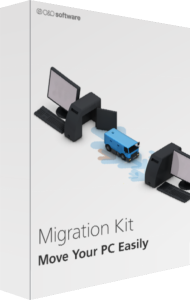
O&O Migration Kit combines backup, application transfer, and data-erasure tools. The published Windows 11 kit brings together O&O DiskImage, Laplink PCmover, and O&O SafeErase.
Use the components as separate stages: preserve the original, transfer selected content, verify the destination, and only then consider retiring the old computer. Review the selected offer for included editions and license coverage.
Preserve a recovery copy with DiskImage
DiskImage provides a system-image backup before the move. It gives the migration plan a recovery source independent of the transfer itself.
Keep the image accessible and test retrieval of important files. A completed backup is not a reason to erase the original immediately; confirm the destination and recovery preparation first.
Select applications and data with PCmover
PCmover transfers selected applications, files, settings, and user profiles. The published kit also describes migration from an image.
Review the selection around what you actually use. Keep installers and activation information for essential software, and test critical applications after transfer rather than assuming every program will work unchanged.
Allow for application activation and settings changes
Some applications may need manual reactivation, and older programs or settings may not work as expected after a move.
Prepare a short checklist of your regular tasks: opening projects, using peripherals, and accessing accounts. Verify these on the destination before deciding the migration is complete.
Retire the old computer after verification
SafeErase provides the data-deletion stage once the transferred data and independent backups have been checked.
Keep any information you still need outside the old computer and confirm the erasure target. Deletion is intended to prevent recovery, so do not use it as a test before verifying the new working environment.
Check what the selected kit includes
The kit is a collection of migration tools; it does not include Windows itself or hardware upgrades. Component versions and entitlements should be checked in the selected offer.
This listing should not be assumed to include the newest standalone release of each application. A bundle name and a link to a current product overview do not establish a particular version entitlement.
Compare migration with imaging or SSD copying
See O&O DiskImage 23 for a current standalone imaging overview and O&O SafeErase 21 for deletion workflows. These pages describe their own releases.
The archived SSD Migration Kit 7 is a different product. Choose around a whole-PC move, a drive replacement, or a backup task instead of treating their names as interchangeable.
Compare PC migration approaches
Read our O&O Migration Kit vs EaseUS Todo PCTrans comparison for transfer scope, backup preparation and device retirement.
Compare a standalone transfer edition with the kit's backup, migration and erasure stages in our Laplink PCmover Home vs O&O Migration Kit comparison.
Compare a standalone migration tool with the kit's backup, transfer and retirement stages in our Laplink PCmover Image & Drive Assistant vs O&O Migration Kit comparison.