Product comparison
Ashampoo ZOOM #3 vs Ashampoo Photo Converter 3
ZOOM #3 focuses on enlarging a photograph and inspecting the treatment of its details. Photo Converter 3 focuses on repeating format, size and appearance operations across image collections. The decision depends on whether you need a carefully reviewed enlargement or a reusable export workflow for many files.
Compare image workflows
| Task | Ashampoo ZOOM #3 | Ashampoo Photo Converter 3 |
|---|---|---|
| Main task | AI enlargement with detail and contour refinement | Batch format conversion, resizing and image adjustments |
| Size preparation | Scaling settings with assistants for processing and memory use | Pixel, percentage and physical-size resizing with DPI settings |
| Source handling | RAW preparation and sensor-defect correction | Expanded input support including HEIF, RAW and SVG |
| Repeatable settings | Custom presets and user training images | Reusable .apcbatch command sequences and a batch wizard |
| Additional preparation | Deblurring and Intelligent Details synthesis | Rotation, aspect ratio, color adjustments, effects and watermark operations |
| Automation and review | Comparison view and magnifier for the enlargement | Command-line processing with logging, folder and file-date options |
Which workflow fits?
Choose ZOOM #3 when enlargement is the main job
Ashampoo ZOOM #3 provides an enlargement-focused workflow. Prepare a larger image for a layout, display or print, then inspect how scaling changes edges and texture. The comparison tools help judge one important photograph before committing to the exported copy.
Choose Photo Converter for recurring image preparation
Use Ashampoo Photo Converter 3 to resize a collection to a common specification, convert formats or apply a watermark using a saved command sequence. Check the preview and command order in the graphical workflow before reusing the operations through the CLI.
Resizing changes image dimensions; AI enlargement can also synthesize texture. These outcomes need different checks. Photo Converter can be useful after an enlargement for repeated export preparation, while ZOOM remains focused on the enlargement itself.
Check a sample image
- Define the required pixel dimensions, format and destination before choosing the operation.
- Compare a resized copy with an AI enlargement at equal dimensions and viewing scale.
- For a batch, test portrait and landscape examples and inspect watermark placement or cropping.
- Keep originals in a separate location and review output files and processing logs before replacing anything.
Save processed files separately from the originals. AI-generated texture can look plausible without reproducing the original scene accurately. Compare important features with the source and assess the full image at the size where it will actually be used.
Compared products
Review the selected catalog editions for your image-processing task.

Ashampoo ZOOM #3
Enlarge photographs with AI scaling, RAW processing, deblurring and comparison tools for inspecting the result.
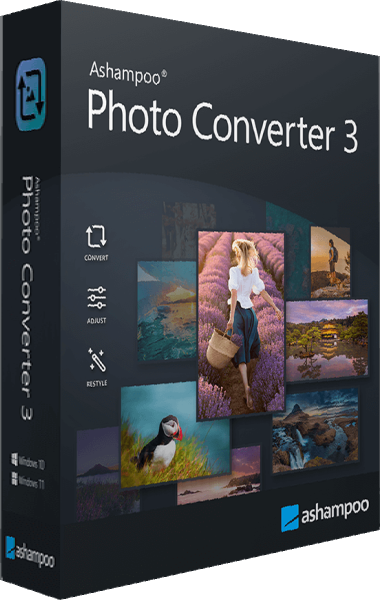
Ashampoo Photo Converter
Convert and resize image collections, apply adjustments and watermarks, and reuse saved command sets.