Product comparison
WinZip Registry Optimizer vs Ashampoo WinOptimizer Pro 29
WinZip Registry Optimizer focuses on registry entries and related startup tasks. WinOptimizer Pro 29 includes Registry Optimizer 2 inside a larger set of Windows cleanup, analysis and update tools. Choose around whether your work needs a focused registry interface or several maintenance modules.
Compare maintenance workflows
| Task | WinZip Registry Optimizer | Ashampoo WinOptimizer Pro 29 |
|---|---|---|
| Overall scope | Registry scanning, repairs and startup management | Registry maintenance plus file, privacy, startup and system-analysis tools |
| Registry workflow | Standard categories and optional Deep Scan | Registry Optimizer results grouped by category with item selection |
| Preserving entries | Exclusions for findings and registry areas | Registry Optimizer exceptions for future searches |
| Recovery access | Automatic registry backups, dated restoration and optional restore points | Backup Manager for supported maintenance changes |
| Startup and automation | Startup Manager and scan scheduling | Startup Tuner, Boot Center and scheduled maintenance |
| Additional modules | Tools centered on registry inspection and selected repairs | Drive and browser cleanup, software updating and system-information tools |
Which workflow fits?
Choose WinZip for a focused registry task
WinZip Registry Optimizer is relevant when you want to inspect registry references, select repairs and retain a clear route back through dated backups. Its exclusions and startup controls stay close to that task.
Choose WinOptimizer when several maintenance modules are useful
Ashampoo WinOptimizer Pro 29 is relevant when the work also involves unnecessary files, browsing traces, startup behavior or supported software updates. Review each module's findings and backup coverage independently.
The registry module is one part of WinOptimizer. Clearing browser data or updating software is a separate change from registry cleanup. Compare the modules you actually need, and inspect what the retained backup can reverse for the selected operation.
Review changes and recovery
- Choose a registry task and inspect the individual entries rather than an overall maintenance score.
- Compare exceptions and the details available for each proposed change.
- Locate the relevant backup or restore action before applying the selection.
- If using other WinOptimizer modules, review their selections separately and check the affected workflow afterward.
A scan count is not a measurement of performance or proof that a reported entry causes a problem. Evaluate the selected change against the same application or task before and after maintenance.
Compared products
Review the selected catalog products and the edition needed for your maintenance tasks.
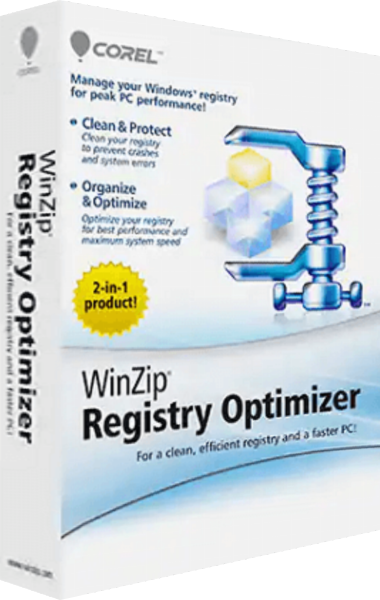
WinZip Registry Optimizer
Inspect and repair invalid Windows registry entries with backup, restore, exclusion and startup management tools.

Ashampoo WinOptimizer Pro
Review Windows maintenance tasks with cleanup tools, software updates, startup controls and system analysis.
Explore more
- WinZip Registry Optimizer vs Auslogics Registry Cleaner
- WinZip Registry Optimizer vs ReviverSoft Registry Reviver
- WinZip Registry Optimizer vs IObit Advanced SystemCare Pro
- WinZip Registry Optimizer vs iolo System Mechanic
- WinZip Registry Optimizer vs ReviverSoft PC Reviver
- PC maintenance and optimization overview
- Keep independent copies of important files