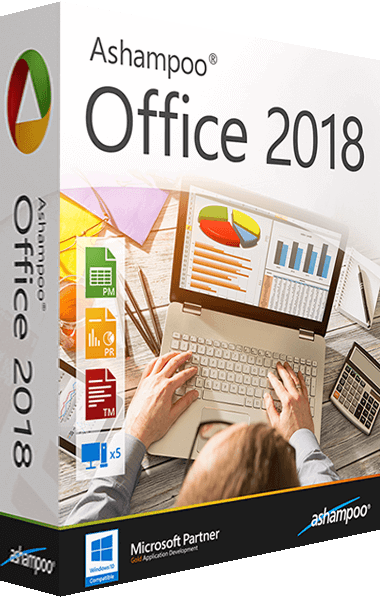


Ashampoo Office 2018 key features
- Fully-usable on touchscreens
- Send mails in Microsoft-compatible formats
- Pin important documents for permanent access
- Incredible ease of use with fold-out elements
- Support for classic view and modern view with ribbons
- Quick-access toolbar with most frequently used elements
- The perfect alternative to Microsoft Word, Excel and PowerPoint
- Fully compatible with Microsoft Office documents from version 6.0 to 2016
- Supports portable installation on flash drives
MS Office or Ashampoo Office 2018 - two office suites, one format!
Spare yourself the hassle of manual imports and exports: Ashampoo Office 2018 uses Microsoft Office formats like DOCX, XLSX and PPTS as defaults. This means you can directly edit your Ashampoo Office documents in Microsoft Office without the need for conversion while preserving the original formatting.
Use it on up to 5 PCs in your household
If you use Ashampoo Office 2018 at home, you can run it on up to 5 PCs! A single license is enough to provide your entire family with a powerful office suite! If you use it comercially though, it’s one license per installation.
It doesn’t get any easier: the new ribbon style in Ashampoo Office 2018
The modern ribbon interface makes a huge feature set easily accessible for users. And by the way: the ribbon mode still allows you to access all features through the menu. This makes the transition from the classic interface extra easy. If you don’t want to switch: the classic interface is still there. It’s your choice!
Perfect word processing: TextMaker 2018
TextMaker 2018 is the modern word processor for any type of document - greeting card, brochure, business letter or entire thesis. The unique object mode allows you to freely position graphics, drawing and text in your document.
The real-time word counter helps match any length requirements and native support for DOCX ensures your files with always work with Microsoft Word. Finished documents can not only be printed but also exported as PDFs or ebooks.
- More TextArt variants
- AutoFormat for tables
- Legends and list of figures
- Export to the E-book format EPUB
- Preview of templates in File > New
- Cross references to headings or text
- Real-time word counter in status bar
- Crop pictures directly in TextMaker 2010
- Enhanced and more flexible spell checker
- Create and print labels from the database
- Antialiasing for all graphics and drawings
- Improved formatting of calculations and fields
- Hide unwanted fonts for uncluttered font lists
- The color of the workspace can be adjusted freely
- PDF forms, tagged PDFs, and bookmarks in PDF files
- New Microsoft Office 2010 AutoShapes are supported
- Additional number formats in enumerations and fields
- Jump to the next or previous spelling or grammar mistake
- Opens and saves DOCX files of Microsoft Word 2010 lossless
- Real-time preview of formatting changes and in file chooser
- Automatic superscripting of ordinal numbers (2nd, 3rd etc.)
- Preview of stylesheets with a list of all formatting included
- Ingeniously easy adding of page numbers to headers and footers
- Zoom slider in the status bar to quickly adjust the zoom level
The sidebar enables quick navigation and formatting within a document
Masterful spreadsheets: PlanMaker 2018
The powerful PlanMaker 2018 makes creating calculations, tables and charts incredibly easy. From simple timetables to extensive finance planning for you company, PlanMaker has got you covered. Syntax highlighting and formula validation help you quickly find and eliminate any errors.
With more than 350 built-in calculations, easy table handling and support for huge worksheets with over 1 million rows as well as pivot tables, PlanMaker 2018 can take on any calculation. And the program uses the XLSX - the format used by Microsoft Excel!
Captivating presentations: Presentations 2018
Use Presentations 2018 to create presentations that never fail to impress. Breath-taking animations and slide transitions coupled with a mature slide master concept help you take on any project. Create any number of master layouts with multiple placeholders in just a few clicks.
Not only will this give your slides a consistent look but it also ensures full compatibility with PowerPoint. Numerous ready-made design templates customizable at the click of a button take the design work off your shoulders. Spice up your presentations with graphics, charts, sounds, videos and animations. Since Presentations uses the common PPTX file format, interoperability with Microsoft PowerPoint is guaranteed.
Let your documents speak for themselves: with intuitive handling, a gigantic feature set and excellent performance, Ashampoo Office 2018 delivers first-rate results fast!
It’s everything an office suite should be: powerful and fully compatible!
Discover the new Ashampoo Office 2018, the true alternative to MS Office! Work with full compatibility - our office suite knows and uses all common Microsoft formats. Work with classic menus or a modern ribbon style, the choice is yours! The new Ashampoo Office 2018 is also touchscreen-optimized and more user-friendly than ever before. With smart fold-out menus, a learning start bar and enhanced spell checking, you will finish your documents with unparalleled speed!