EaseUS Partition Master Professional

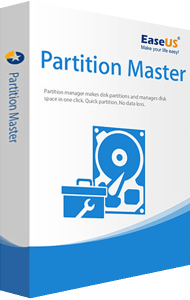
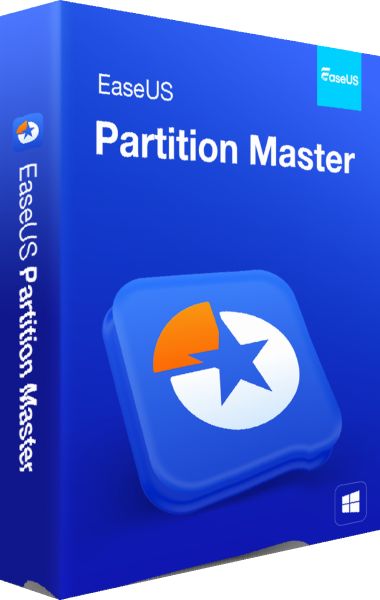
EaseUS Partition Master Professional 3D boxshot

Easily create disk partitions and manage data storage space

Resize and manage disk partitions with EaseUS Partition Master Professional. Reorganize disk space and adjust partition layouts using disk management tools.

Related Products
EaseUS Partition Master Professional What’s New

Redistribute Space on Disk Flexibly

EaseUS Partition Master Pro makes it effortless to partition hard drives and take full advantage of your disk space.

Resize/Move Partitions
Adjust a partition to a larger or smaller one for your need.
Merge Partitions
Merge partitions into a larger one without losing data.
Create/Format/Delete Partitions
Organize and optimize your hard disk.
Copy Disk/Partition
It helps you clone/migrate partition to the unallocated space.
Migrate OS to SSD
Migrate OS to SSD to speed up Windows.
Dynamic Volume Management
Resize/extend/shrink/create dynamic volume easily.

EaseUS Partition Master Professional Key Feature

Partitions Converter & Wizards

MBR/GPT Disk Converter
Change disk style from MBR to GPT without data loss, and vice versa.
Change FAT32 to NTFS
Convert file system from FAT32 to NTFS.
Primary/Logical Partition Converter
Convert partition from primary to logical and vice versa.
Dynamic/Basic Disk Converter
Convert dynamic disk to basic disk and vice versa.

More Management Tools

A range of features are available to improve disk management and performance

Create WinPE Bootable Disk
You are allowed to resize partitions, extend system partitions, rebuild MBR and settle low disk space with bootable disk.
Partition Recovery
Quickly recover deleted or lost partitions by scanning the whole disk or unallocated space.
SSD 4K Alignment
Align SSD partitions correctly to speed up your PC
Partition Recall Protection
Automatically restore the partition state to previous if something goes wrong when you are attempting to adjust partitions.

How to Manage Disks/Partitions

Create/resize partitions
Drag the storage bar to set a partition size: allocate storage space on your hard drive with one click.
Migrate OS
Clone the system partition/drive to a new hard drive to set it up without reinstalling and reconfiguring Windows.
Clone partitions
Choose a destination partition and clone a HDD/SSD partition to it. It can also copy the entire disk to another one.
Merge partitions
Select adjacent partitions to combine their space into a larger one and expand the size of your partition.
Format partitions
Select a partition and format to check for disk errors and prepare for future use. Set the file system and cluster size.

Related guides

Previous product versions

Editorial rating by Find Your Software: 4.8 out of 5

EaseUS Partition Master 3D boxshot

EaseUS Partition Master

A newer edition is available

Resize and manage Windows disk partitions and review planned storage changes.

Learn more about EaseUS Partition Master