
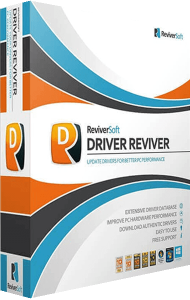
Driver Reviver: bring Windows driver checks into one place
Driver Reviver is a ReviverSoft application for finding driver updates and managing their installation. Scan installed hardware drivers, examine the proposed updates, and use backup, restore and exclusion tools to manage changes.
Explore the workflow below, read the frequently asked questions, or open the purchase section.
Understand the update you are considering
Device drivers help Windows and applications communicate with hardware. An update may address a particular device issue, add functionality or improve compatibility, depending on what the manufacturer has changed.
Driver Reviver compares installed drivers with updates in its database. Review the device and version information in the results and relate each proposed update to the hardware you use.
From a scan to a checked device
- Run a scan to identify the driver updates the application finds.
- Review the results and exclude updates you want to leave out.
- Check the driver backup, then proceed with the updates you have chosen.
- Follow any restart instructions and test the affected device or application.
The download and installation process depends on the updates and connection. Driver maintenance does not guarantee faster performance or resolve every device problem. Compare the relevant device behavior before and after a change.
Choose how driver maintenance runs
- Driver backups
- Save all existing drivers or a selection. Driver Reviver also backs up original drivers during its update workflow.
- Restore from a backup
- Select an available saved driver backup to restore earlier versions when needed.
- Driver exclusions
- Leave chosen updates out of future scans and updates, then remove an exclusion if your needs change.
- Scan scheduling
- Choose scan times and frequency, and review the settings for scans at application launch or Windows startup.
Confirm the backup you intend to use before changing drivers. Driver backups cover driver files; keep documents, photos and other personal files backed up separately.
Buying Driver Reviver
Use the purchase section to open the linked shop. Before ordering, confirm the product, license duration, covered devices, update entitlement and any renewal or cancellation terms.
Find Your Software is an independent information website. We may receive a commission when you buy through our links. The linked shop handles payment and your order.
Explore other maintenance tools
For cleanup, startup and other maintenance tasks alongside drivers, see PC Reviver. Registry Reviver focuses on the Windows registry. The Total PC Care overview describes a bundle of ReviverSoft applications.
Browse the ReviverSoft catalog or the PC maintenance and optimization category for related tasks.
Editorial rating by Find Your Software: 4.8 out of 5
Frequently asked questions about Driver Reviver
Answers to common questions
What does Driver Reviver do?
It scans Windows hardware drivers for available updates and provides an update workflow. Backup, restoration, exclusions and scan settings help you manage the changes.
Can I back up drivers before updating them?
Yes. You can save all drivers or a selection. The update workflow also backs up original drivers. Confirm the available backup before proceeding.
Can I return to a saved driver version?
Use the restore workflow to select and load an available driver backup. Follow the application's restart instructions and check the device afterward.
Can I skip a particular driver update?
Yes. Add it to the exclusion list and remove it later if needed. See the driver controls for backup, restore and exclusion options.
Can scans run on a schedule?
Yes. Choose scan times and frequency, and check the options for scanning when the application or Windows starts.
Will updating drivers make every PC faster?
The outcome depends on the device, update and issue being investigated. A driver update may change particular hardware behavior, but a specific speed or stability improvement is not guaranteed.
Who handles my purchase and license?
The purchase button opens the linked shop, which processes the order and payment. Confirm the selected license, device coverage, update entitlement and applicable renewal terms there before buying.