Product comparison
WinZip Privacy Protector vs Ashampoo AntiSpy Pro
These programs address different stages of a privacy routine. WinZip finds information already stored locally and lets you remove selected records. AntiSpy Pro changes supported telemetry, tracking and browser settings, with controls for undoing individual configuration changes.
Compare privacy workflows
| Task | WinZip Privacy Protector | Ashampoo AntiSpy Pro |
|---|---|---|
| Main decision | Which stored records should be deleted? | Which data-collection settings should be changed? |
| Working view | Scan areas and detected personal-information records | Recommended settings and individual expert controls |
| Saved browser data | Review saved logins, history and cookies for selected removal | Review supported browser privacy settings in a configuration workflow |
| Windows and applications | Inspect stored information in supported scan categories | Adjust selected telemetry and reporting settings for Windows and applications |
| Recurring operation | Scheduling and Active Cleaning provide automatic checking options | Optional reapplication of chosen settings at startup |
| Undo behavior | Removed scan findings have no built-in undo | Individual configuration changes can be reversed |
Which workflow fits?
Consider WinZip for reviewing stored personal information
WinZip Privacy Protector is a candidate when you want to inspect selected categories of personal information before deleting records. Keep needed credentials accessible elsewhere and review findings before removal: the cleanup has no built-in undo.
Consider AntiSpy for telemetry and browser settings
Ashampoo AntiSpy Pro fits a task centered on supported data-collection options in Windows, applications and browsers. Review individual switches and the features they affect. Undoing a configuration change is different from restoring a record deleted by a cleaner.
These products can address complementary tasks. Changing telemetry settings does not erase previously stored browsing data, and clearing a local history does not configure every future reporting setting.
Check the selected controls
- Decide whether the task is deleting a stored record or changing a reporting setting.
- In WinZip, inspect a small set of findings before confirming permanent removal.
- In AntiSpy, review an individual setting and identify its undo control.
- Check affected browser or application features after the configuration change.
Compare the same browsers and profiles using the installed releases. Local cleanup does not delete records held by websites, and a count of findings is not a measurement of tracking-protection effectiveness.
Compared products
Review the selected catalog products and the controls available in the edition you intend to use.
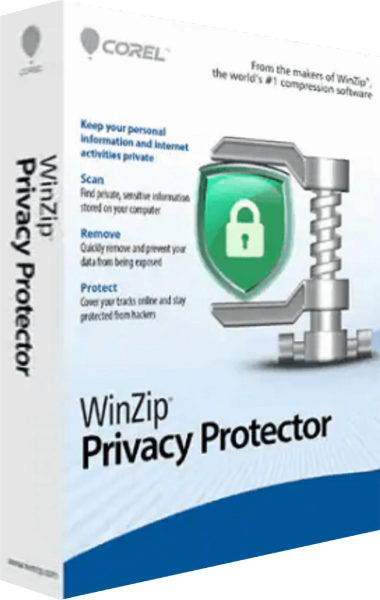
WinZip Privacy Protector
Find and selectively remove stored personal information, saved browser credentials, history and cookies from a Windows PC.

Ashampoo AntiSpy Pro
Review tracking and telemetry settings with Ashampoo AntiSpy Pro.
Explore more
- WinZip Privacy Protector vs VIPRE Privacy Shield
- WinZip Privacy Protector vs Ashampoo Privacy Inspector 2
- WinZip Privacy Protector vs iolo Privacy Guardian
- WinZip Privacy Protector vs CCleaner Professional
- WinZip Privacy Protector vs Ashampoo WinOptimizer Pro 29
- Privacy tools overview
- PC maintenance and optimization overview
- Keep independent copies of important files