Product comparison
WinZip Privacy Protector vs Ashampoo WinOptimizer Pro 29
WinZip groups stored personal data into scan categories for review and selected removal. WinOptimizer Pro 29 spreads related tasks across Internet Cleaner, Privacy Traces Cleaner, cookie management and Privacy Manager, within a broader Windows maintenance suite.
Compare privacy workflows
| Task | WinZip Privacy Protector | Ashampoo WinOptimizer Pro 29 |
|---|---|---|
| Personal-data review | Scan saved credentials, profiles and selected activity traces | Select the cleaner or privacy module matching the record or setting |
| Internet records | History and cookies are selectable scan areas | Internet Cleaner covers supported browser traces |
| Useful cookies | Review cookie findings before selected removal | Cross-browser cookie management lets you decide which cookies to keep |
| Other activity traces | Review available profile and chat-history categories | Privacy Traces Cleaner includes optional jumplist cleanup |
| Settings changes | Manage scan areas, recurring checks and program behavior | Privacy Manager 2 and Tweaking 2 expose separate configuration tasks |
| Broader maintenance | Dedicated personal-data cleanup workflow | Startup tools, system analysis and supported software updates |
Which workflow fits?
Consider WinZip for reviewing stored personal information
WinZip Privacy Protector is a candidate when you want to inspect selected categories of personal information before deleting records. Keep needed credentials accessible elsewhere and review findings before removal: the cleanup has no built-in undo.
Consider WinOptimizer for several Windows maintenance tasks
Ashampoo WinOptimizer Pro 29 suits a routine combining privacy cleanup with startup review, system analysis and software maintenance. Choose the relevant module rather than enabling every task together. Cookie management is useful when preserving selected site sessions matters.
Review cleanup selections and settings changes independently. Backup Manager covers supported program changes; it should not be assumed to restore every deleted browser record or replace an independent backup.
Check the selected controls
- Match the records you want to remove to Internet Cleaner or Privacy Traces Cleaner.
- Set cookie-retention choices before running browser cleanup.
- Review Privacy Manager settings separately from deletion selections.
- Apply a limited task and check browser sessions and application behavior afterward.
Compare the same browsers and profiles using the installed releases. Local cleanup does not delete records held by websites, and a count of findings is not a measurement of tracking-protection effectiveness.
Compared products
Review the selected catalog products and the controls available in the edition you intend to use.
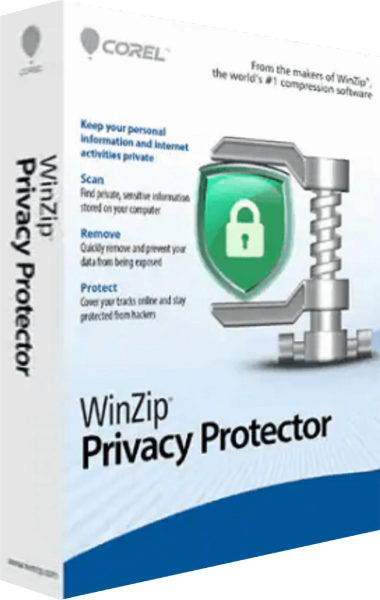
WinZip Privacy Protector
Find and selectively remove stored personal information, saved browser credentials, history and cookies from a Windows PC.

Ashampoo WinOptimizer Pro
Review Windows maintenance tasks with cleanup tools, software updates, startup controls and system analysis.
Explore more
- WinZip Privacy Protector vs VIPRE Privacy Shield
- WinZip Privacy Protector vs Ashampoo Privacy Inspector 2
- WinZip Privacy Protector vs iolo Privacy Guardian
- WinZip Privacy Protector vs CCleaner Professional
- WinZip Privacy Protector vs Ashampoo AntiSpy Pro
- Privacy tools overview
- PC maintenance and optimization overview
- Keep independent copies of important files