Product comparison
WinZip Privacy Protector vs Ashampoo Privacy Inspector 2
WinZip focuses on reviewing stored personal information and selecting records for deletion. Privacy Inspector 2 emphasizes examining recorded activity, including searches, downloads and file usage, alongside cleanup and privacy settings.
Compare privacy workflows
| Task | WinZip Privacy Protector | Ashampoo Privacy Inspector 2 |
|---|---|---|
| Starting point | Select personal-data scan areas before reviewing findings | Inspect activity records with lists and filters |
| Browsing history | History and cookies are separate scan categories | Analyze visits, download records and search terms |
| Other records | Profile information, saved logins and chat-history categories | Activities module, file-usage records and DNS cache inspection |
| Selective cleanup | Choose records from scan results for removal | Delete selected entries or categories; retain important cookies |
| Privacy configuration | Scan selection, scheduling and startup options | Windows and app privacy settings alongside trace analysis |
| Cleanup records | No built-in undo for deleted scan findings | Internet Cleaner deletion history records actions; it is not a promise of restoration |
Which workflow fits?
Consider WinZip for reviewing stored personal information
WinZip Privacy Protector is a candidate when you want to inspect selected categories of personal information before deleting records. Keep needed credentials accessible elsewhere and review findings before removal: the cleanup has no built-in undo.
Consider Privacy Inspector for activity analysis
Ashampoo Privacy Inspector 2 fits an investigation into what the computer has recorded and when it happened. Filters and activity views help narrow down a browsing session or usage record before choosing what to delete. DNS inspection and Windows privacy settings widen the scope.
An activity viewer can be useful without deleting its findings. Compare inspection detail separately from cleanup depth, and do not interpret a deletion history as a backup of the removed information.
Check the selected controls
- Inspect one browser profile and a known recent browsing session in each program.
- Use Privacy Inspector filters to locate a search, download or file-usage record.
- Retain useful cookies and review the exact entries selected for deletion.
- After a small cleanup, inspect the remaining records and the available deletion history.
Compare the same browsers and profiles using the installed releases. Local cleanup does not delete records held by websites, and a count of findings is not a measurement of tracking-protection effectiveness.
Compared products
Review the selected catalog products and the controls available in the edition you intend to use.
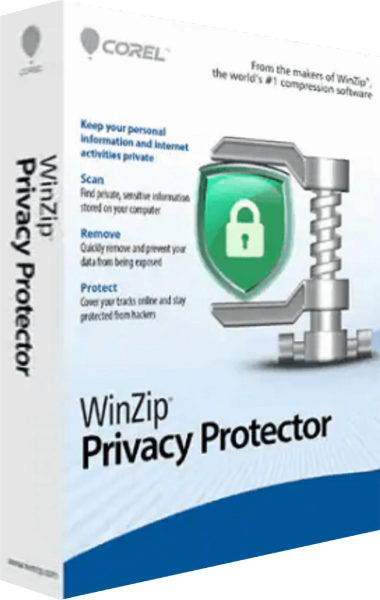
WinZip Privacy Protector
Find and selectively remove stored personal information, saved browser credentials, history and cookies from a Windows PC.

Ashampoo Privacy Inspector
Review browser history and local activity records, clean traces, and adjust privacy settings.
Explore more
- WinZip Privacy Protector vs VIPRE Privacy Shield
- WinZip Privacy Protector vs iolo Privacy Guardian
- WinZip Privacy Protector vs CCleaner Professional
- WinZip Privacy Protector vs Ashampoo WinOptimizer Pro 29
- WinZip Privacy Protector vs Ashampoo AntiSpy Pro
- Privacy tools overview
- PC maintenance and optimization overview
- Keep independent copies of important files