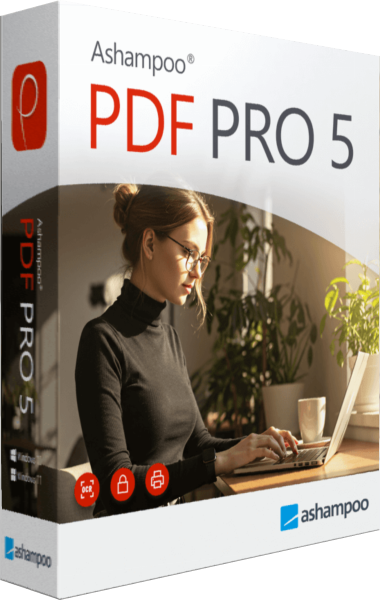
Ashampoo PDF Pro
A newer edition is available
Edit PDF text and images, organize pages, convert documents and recognize scanned text with OCR.
Learn more about Ashampoo PDF Pro
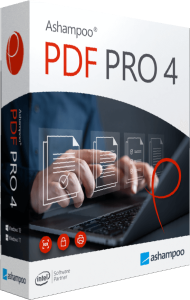
PDF editing, conversion, page management, and document review
Edit text, merge and rearrange pages, convert PDFs, and recognize scanned text. Compare document revisions, create forms, and capture PDF snapshots.
Ashampoo PDF Pro 4 combines text editing, page management, conversion, and document review. Correct a report, assemble pages from several files, or prepare a scanned document for search without switching between separate tools for each task.
Start with the task your document needs. A text correction calls for editing and proofreading; a collection of separate PDFs needs page organization; a scan may need OCR before its text becomes searchable. Review the finished file before sharing it.
Edit paragraphs, adjust formatting, and work with objects such as images. The ribbon and customizable quick-access toolbar keep frequently used commands nearby, while tabs help you move between open files.
Spell checking and automatic hyphenation support text revisions. Page thumbnails, side-by-side viewing, and fullscreen mode provide different ways to inspect the document. Choose a view that helps with the current task, then check line breaks and page layout after substantial changes.
Combine documents into one file, insert pages, and change their order. Rotate or crop pages and remove material that does not belong in the final document. This is useful when assembling a report from several sources or separating a larger file into smaller documents.
Review the sequence after reorganizing it. Check headings, page numbers, and any references that depend on the original order, so the merged document remains easy to follow.
Export PDF content to Word-compatible documents, text, HTML, and other supported formats. If you need further word processing, compare Ashampoo Office 27 for work on the converted document.
OCR identifies text in scanned pages so it can be searched and edited. Recognition and conversion depend on the source: clear scans are easier to process than blurred pages, and complex layouts may need manual correction. Compare the output with the original before relying on it.
The comparison view highlights differences between two PDFs and helps you navigate changes. Use it to review an updated report or check which parts of a document have changed between revisions.
Snapshots capture selected PDF content for reuse as an image. Save a snapshot or copy it to the clipboard when you need to place a diagram or excerpt in another application. This differs from converting the content into editable text.
The virtual PDF printer creates PDF output from applications with a print function. Image downsampling can help prepare smaller documents for sharing. Check the resulting text and graphics to ensure the output remains suitable for its intended use.
Interactive form tools help create and edit fields for information collection. PDF/A output supports an archival workflow, while encryption and digital signatures provide document protection and verification options. Choose the settings that match how the file will be used and shared.
PDF Pro 3 already provides PDF editing and a ribbon-based interface. Version 4 expands document viewing with tabs, side-by-side pages, adjustable thumbnails, and fullscreen mode.
Updated spelling dictionaries, enhanced hyphenation, and snapshots that can be copied to the clipboard improve everyday review and reuse. Consider these changes around the tasks you repeat most often, such as comparing files or revising longer documents.
Review the selected version and license terms in the purchase section. Confirm the final checkout total before paying.
View Ashampoo PDF Pro 4 purchase options.
Read our EaseUS PDF Editor vs Ashampoo PDF Pro 4 comparison for editing, OCR, conversion and document-review tasks.
Answers to common questions
Yes. PDF Pro includes text and formatting tools. Scanned pages may need OCR first, and layout should be reviewed after editing.
Yes. Combine PDFs, insert or remove pages, and rearrange, rotate, or crop them.
Yes. Conversion is available alongside text and HTML output. Complex formatting may require correction in the exported file.
OCR recognizes text in scanned pages. Check the results because accuracy depends on scan quality and layout.
Yes. The comparison view highlights differences and helps you inspect revisions.
It captures selected content as an image that can be saved or copied to the clipboard for reuse.
Version 4 updates viewing, spell checking, hyphenation, and document snapshots. See the version comparison.
Editorial rating by Find Your Software: 4.8 out of 5
A newer edition is available
Edit PDF text and images, organize pages, convert documents and recognize scanned text with OCR.
Learn more about Ashampoo PDF Pro