




Review Windows maintenance tasks in one workspace
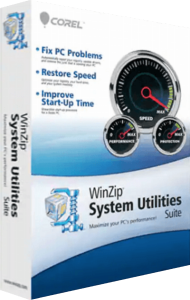
WinZip System Utilities Suite combines cleanup, driver maintenance and troubleshooting tools. Its repair scan checks for application leftovers, outdated drivers, junk files and privacy traces, bringing several maintenance tasks into one overview.
Start with the issue you want to investigate, then review the findings before applying changes. A scan count is not a measurement of how much faster the computer will become, so assess the result against the task that prompted the scan.
Inspect disk usage and remove files you no longer need
Disk Explorer helps identify files and folders using storage space. Duplicates Finder locates repeated files, while the Uninstall Manager and Add-ons Manager provide controls for removing unwanted software and extensions. A File Shredder is also included for permanent deletion.
Check file locations and keep a separate backup before a large cleanup. An extra copy may be an intentional archive or part of a working project. Use permanent deletion only for files you have decided not to retain.
Manage startup programs and device drivers
The Startup Manager lets you enable or disable applications and services that launch with Windows. Driver tools identify outdated drivers, and Driver Backup can save all current drivers or a selected set.
Change startup settings selectively and test the next sign-in. For a driver update, note the affected device, keep its backup and check its behavior after installation and any requested restart.
Restore supported repairs from saved backups
The suite backs up registry and driver data before relevant repairs or updates. Restore under Troubleshoot provides access to those saved changes so you can reverse a repair or return to an earlier driver configuration.
Choose the backup that corresponds to the change you want to undo. Registry and driver recovery is separate from restoring deleted documents; keep important personal files in a separate backup rather than assuming every cleanup action can be reversed.
Investigate system details and blue-screen codes
System Info presents Windows and hardware details, Process Library explains processes, and Crash Helper looks up a blue-screen error code. Additional utilities include disk optimization, Registry Defrag and Mass File Renamer.
Record the exact error code and what you were doing when a problem occurred. Use that information to guide a focused investigation. Looking up a code provides context; it does not establish that one cleanup operation will resolve every possible cause.
Schedule maintenance and choose the right WinZip product
Set a one-time, daily or weekly scan-and-repair schedule through the settings. Review the initial configuration and the first scheduled result before relying on recurring operation.
System Utilities Suite handles PC maintenance. For creating and extracting archives, see WinZip Standard Suite; for malware scanning, explore WinZip Malware Protector. The WinZip software overview lists other tools in the catalog.
Browse PC maintenance and optimization software for related products and comparisons of cleanup, startup management and recovery workflows.
Compare WinZip System Utilities Suite
Compare Windows cleanup, driver maintenance, startup controls, automation and recovery workflows.
- WinZip System Utilities Suite vs ReviverSoft PC Reviver
- WinZip System Utilities Suite vs Ashampoo WinOptimizer Pro 29
- WinZip System Utilities Suite vs Auslogics BoostSpeed
- WinZip System Utilities Suite vs IObit Advanced SystemCare Pro
- WinZip System Utilities Suite vs iolo System Mechanic
- WinZip System Utilities Suite vs CCleaner Professional
Compare WinZip Ultimate PC Care
Compare the standalone maintenance suite with the additional programs available in Ultimate PC Care.